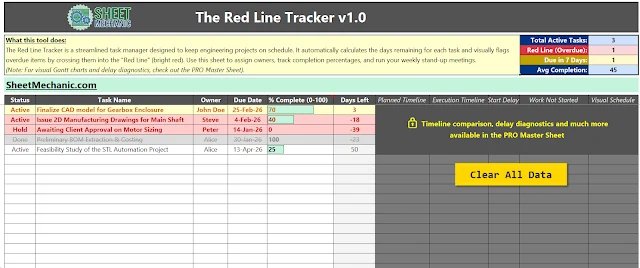
The Red Line Tracker
A visual task manager that stops critical engineering tasks from slipping. Automated "days left" countdowns, a KPI triage strip, conditional flags for overdue and due-in-seven, and a one-click reset for running daily stand-ups.

The Sheet Mechanic
University teaches you how to calculate stress on a beam. It doesn't teach you what to do when the vendor delivers it 50 mm too short. This is a field manual, a free Excel toolkit, and a growing set of simulation software for the gap between the perfect design and the real world.
The premise
In practice, engineering challenges are rarely just design problems. They are data-handling problems, communication problems, and process problems. Suparerg Suksai
In CAD, gravity is perfect, budgets are infinite, and parts never clash. In the real world, Europe closes in August, clients change the scope three times a week, and the perfect machine doesn't fit in the elevator.
Over 25 years in industrial automation, the biggest failures I have seen were not caused by bad physics. They were caused by bad systems. Scope creep, version control errors, and manual data entry kill more projects than weak steel ever will.
Everything on this page exists to fix that: the written playbook, the spreadsheets that remove the grunt work, and the simulation tools that let you see a line or a mechanism run before anyone cuts steel.
The field manual
The field manual they forgot to give you. A guide for the messy, political and chaotic gap between the perfect design and the real world.
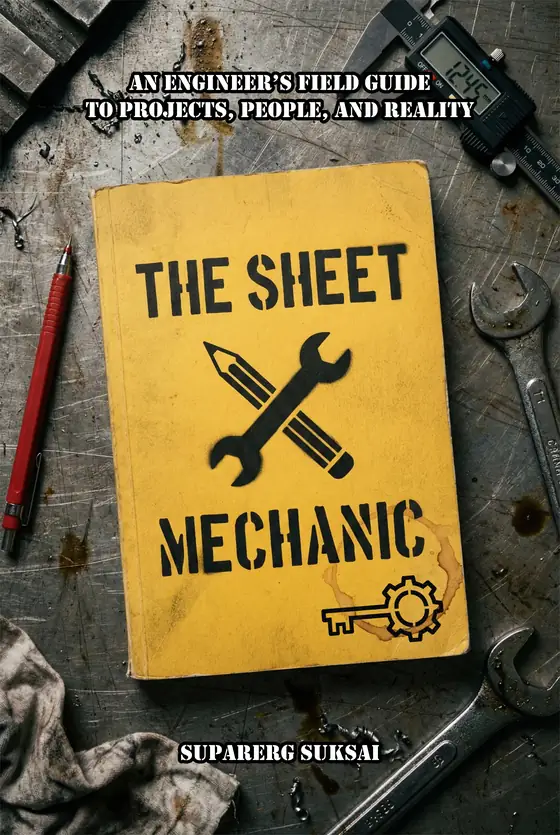
Stop trying to be a hero. Start being a mechanic.
As an Amazon Associate I earn from qualifying purchases. Full disclosure.
Who it is for
You are tired of fixing the same mistakes and want a system to delegate without micromanaging.
You need to bridge the gap between technical reality and client expectations.
Avoid the rookie mistakes that get drawings rejected. Learn the unspoken rules of site politics.
Understand why the perfect plan failed, and how to build buffers for the inevitable chaos.
The toolkit
Excel and VBA systems that turn the theory into execution. Both of these are free, and both are downloaded from Payhip.
A visual task manager that stops critical engineering tasks from slipping. Automated "days left" countdowns, a KPI triage strip, conditional flags for overdue and due-in-seven, and a one-click reset for running daily stand-ups.
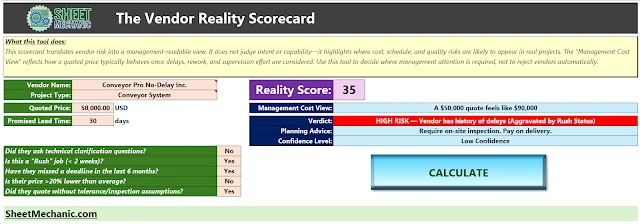
Stop trusting the lowest bidder. Scores quotes on risk beyond price and lead time, returns a Reality Score from 0 to 100, and gives you a Management Cost View that translates a quote into what it actually costs once delay and rework are priced in.
Advanced timeline comparison, multi-department Gantt scheduling, and deep-dive delay diagnostics. The full scheduling system the Red Line Tracker is the free entry point to.
A dynamic tool to quantify the cost of scope creep and justify budget changes to clients, built on the diagram from the book.
Simulation software
Two desktop simulators for the two questions that cost the most to get wrong: will the line hit its rate, and will the mechanism actually move like that.
See the line before you build it.
Lay out stations, conveyors and buffers, then watch the line run before any equipment is built, bought or installed. Find the bottleneck before you cut steel. Built for the shop floor, not the boardroom.
Draw the linkage. Watch it move. Size the drive.
Planar kinematics and inverse dynamics for mechanism design. Build the linkage, verify the motion, then read off the forces, torque and power you need to specify a drive, instead of guessing and oversizing.
Get a launch notice when a Sheet Mechanic app ships. No newsletter or drip sequence. If more than one app ships, you may receive one notice for each release.
Your address is used for launch notices only. It is never sold or shared.
The writing
The long form lives on the two blogs. Two pieces are published here as well, because their URLs came across with the site.

Machine design, power transmission, kinematics, failure analysis and the calculations behind them. The technical reference blog, written for engineers who need the working answer rather than the derivation.
The thinking side of the same job: judgment, bias, decision making and the mental habits that separate an engineer who ships from one who keeps rebuilding.
About

I am an engineering design manager and mechanical design engineer with over 25 years in the trenches of industrial automation. I have designed fixtures, conveyors and complex assembly machines, and I have also managed the chaotic reality of getting those machines built, shipped and installed.
My work sits at the intersection of mechanical design and data automation. I don't just draw machines. I build the digital systems that help teams build them.