
Free Excel tool
The Red Line Tracker: stop letting engineering tasks slip
A streamlined, VBA powered task manager built to keep engineering projects on schedule and to drive genuinely useful weekly stand-up meetings.
Free. No subscription, no email required.
Download the Red Line TrackerThe problem: static lists hide project delays
In fast moving mechanical design and automation work, an ordinary to-do list fails because it carries no urgency. When an engineering manager is juggling CAD models, vendor approvals and manufacturing drawings, critical path items slip unnoticed until they are already holding up the build.
Engineering projects rarely fail all at once. They fail one day at a time. A task tracker has to visually shout at you the moment a deadline is breached.
The solution: visual triage
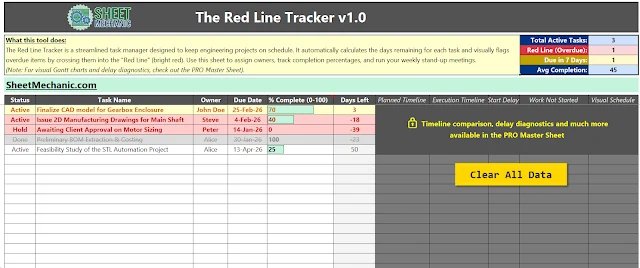
The Red Line Tracker is a free, macro enabled Excel tool that turns task management from passive reading into active triage. It calculates the exact days remaining for every task and uses hard conditional formatting to flag whatever needs management attention now.
How it helps your team
For engineering managers
- Run weekly stand-ups faster.
- See overdue tasks instantly.
- Surface schedule risk without micromanaging.
For design engineers
- Quick visual progress visibility.
- No more manual spreadsheet countdowns.
- Clear focus on critical path deliverables.
1. The KPI summary strip
At the top right of the dashboard, a clean strip gives you the operational numbers without scrolling through line items:
- Total active tasks. The current workload on the team.
- Red Line, overdue. The immediate bottleneck. Above zero, the project is bleeding time.
- Due in 7 days. Your short term radar for resource allocation.
- Average completion. A quick health check on momentum.
2. The Red Line automation
Rather than scanning due dates by hand, the spreadsheet does the arithmetic. Tasks within seven days of their deadline turn warning yellow. Once a task passes its due date it crosses the Red Line and turns bright red. That creates visual accountability in the room during a stand-up.
3. Software grade polish with VBA
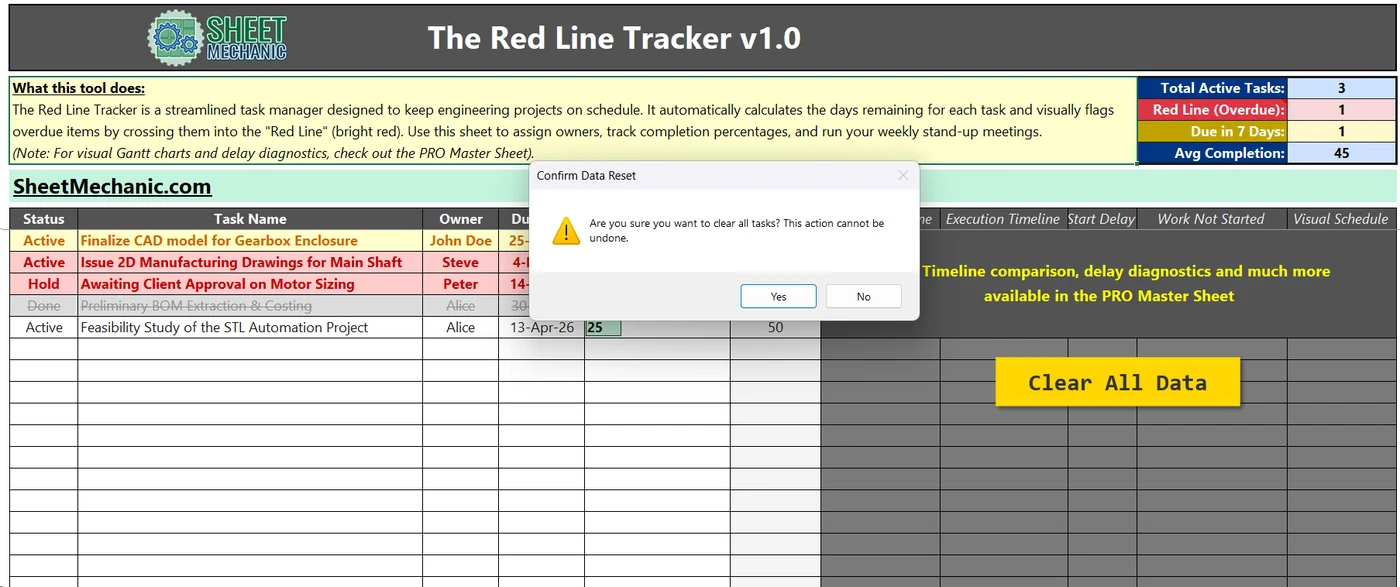
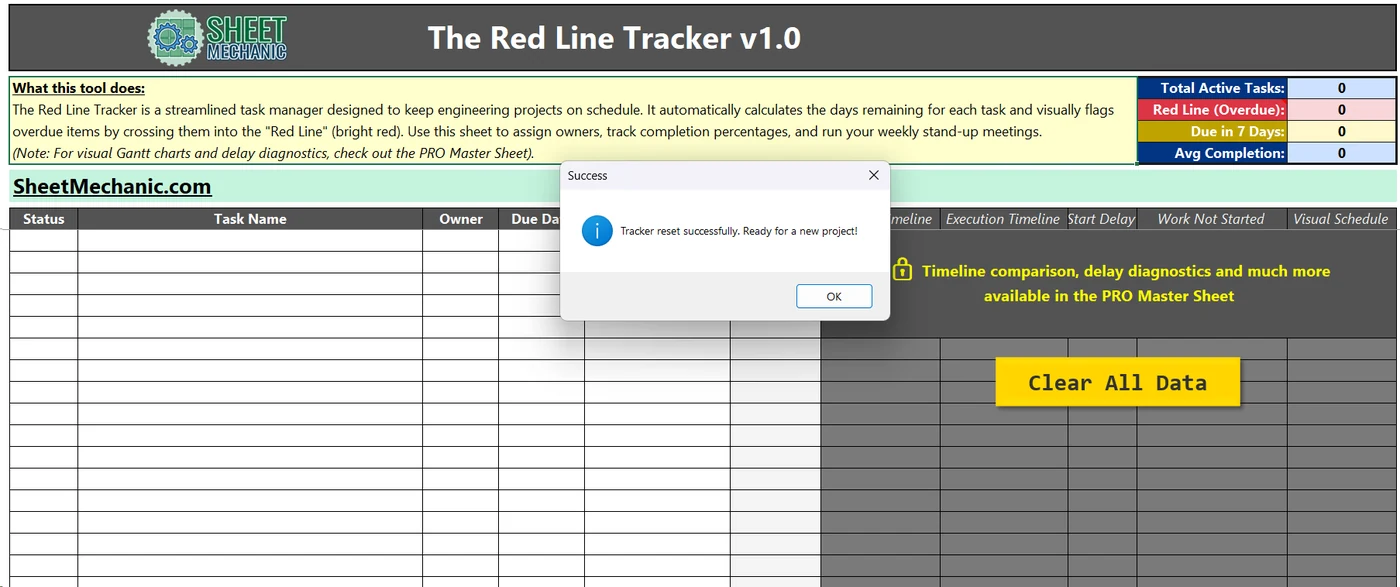
This is built to feel like an application rather than a spreadsheet. The Clear All Data button runs a custom VBA macro that wipes the board for the next project. It has built in safety prompts, and it targets only the user input columns, so the core formulas and the KPI metrics stay intact.
The upgrade path: advanced delay diagnostics
The Red Line Tracker is built for day to day triage. If you need visual timeline comparison, automated Gantt scheduling and delay diagnostics across several departments, the tool carries a direct upgrade path to the PRO Master Sheet.
Download the tool
Completely free. It applies the productivity and management principles from The Sheet Mechanic handbook directly to your daily workflow.
- Format Excel macro enabled workbook, .xlsm
- Compatibility Windows, Excel 2016 and later
- Version 1.0
Free. No subscription, no email required.
Download via Payhip, freeUnblocking the macro, a one time setup
Because this file uses VBA, Microsoft blocks macros on files downloaded from the internet. That is normal. To enable the buttons:
- Close the downloaded Excel file.
- Right click the file and choose Properties.
- At the bottom, tick Unblock in the Security section.
- Click Apply, then OK.

The Sheet Mechanic
The field manual behind these tools. Scope creep, vendor management, design reviews and the gap between the perfect design and the real world.
Get the bookAs an Amazon Associate I earn from qualifying purchases. Full disclosure.