
Free Excel tool
The Vendor Reality Scorecard: stop guessing, start calculating risk
A decision support tool for automation engineers that turns gut feeling into management math.
Update v1.1 is live
A dedicated Sheet Mechanic resource tab now sits on the dashboard, giving one click access to the handbook and the site from inside the tool. The scoring engine is unchanged.
Free. No subscription, no email required.
Download the Vendor ScorecardThe problem
Most engineers pick a vendor on two numbers: price and lead time.
In custom automation the lowest bidder is often the most expensive choice. If a $50,000 vendor delivers four weeks late, the cost of your idle assembly line dwarfs the $5,000 you saved by not choosing the reliable one.
The trouble is that risk is usually just an opinion, and you cannot put an opinion on a purchase order.
The solution
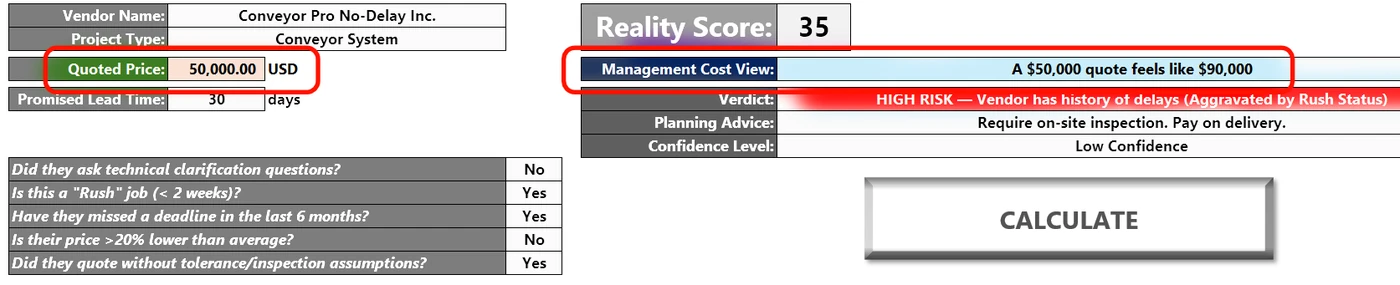
The Vendor Reality Scorecard is a VBA powered Excel dashboard that standardizes vendor selection. It forces the five Mechanic's Checks, the soft questions that reveal whether a vendor actually understands your drawing or is quoting blind.
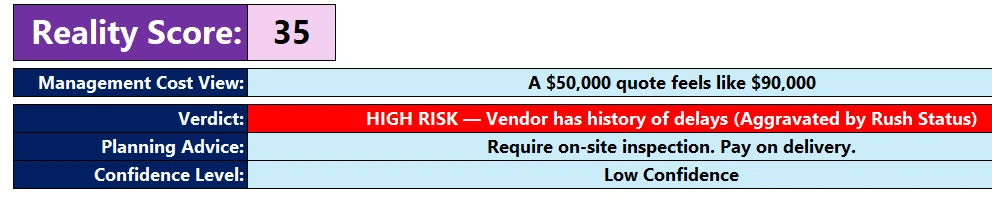
It outputs a Reality Score from 0 to 100 and a Management Cost View, which is the data you need to justify choosing the right vendor rather than the cheapest.
How it helps your team
For engineering managers
- Justify budgets with real risk math.
- Stop firefighting delays caused by low bidders.
- Set realistic project contingencies.
For design engineers
- Catch vendors who ignore your GD&T.
- Standardize vendor questions objectively.
- Compare quotes beyond price and lead time.
How the algorithm works
Unlike a weighted average spreadsheet, this uses a severity hierarchy and risk multipliers based on real failure modes.
1. The clean quote baseline
Every vendor starts at 100. Points come off for behavioral red flags, not just financial ones.
2. The five red flags
- The yes-man penalty, minus 20. Did they ask technical questions? If not, they have probably missed the complexity of your GD&T.
- The history penalty, minus 30. Past behavior predicts future behavior. A history of delay is the heaviest penalty.
- The too-good-to-be-true penalty, minus 15. A price more than 20 percent below average means a scope item has been missed.
- The ignorance penalty, minus 15. Quoting without clarifying inspection or tolerance assumptions.
3. The rush job multiplier
Most tools treat a rush job as a flat penalty. This one treats it as an aggravator.
- Vendor is good, score above 80: a rush job adds minor risk.
- Vendor is bad, score below 70: the rush job triggers a multiplier that raises the Management Cost View by a further 20 percent. That models how chaos compounds when a weak vendor is hurried.
4. The Management Cost View
This is the core of it. A reality factor is applied to the quoted price.
- Score 80 to 100: factor 1.0, safe.
- Score 60 to 79: factor 1.2, expect 20 percent of overrun and management overhead.
- Score below 40: factor 1.6. This project will likely cost 60 percent more than quoted once the firefighting is counted.
Download the tool
Free, and based on the principles in The Sheet Mechanic.
- Format Excel macro enabled workbook, .xlsm
- Compatibility Windows, Excel 2016 and later
- Version 1.1
Free. No subscription, no email required.
Download via Payhip, freeUnblocking the macro, a one time setup
Because this file uses VBA, Microsoft blocks macros on files downloaded from the internet. That is normal. To enable the buttons:
- Close the downloaded Excel file.
- Right click the file and choose Properties.
- At the bottom, tick Unblock in the Security section.
- Click Apply, then OK.
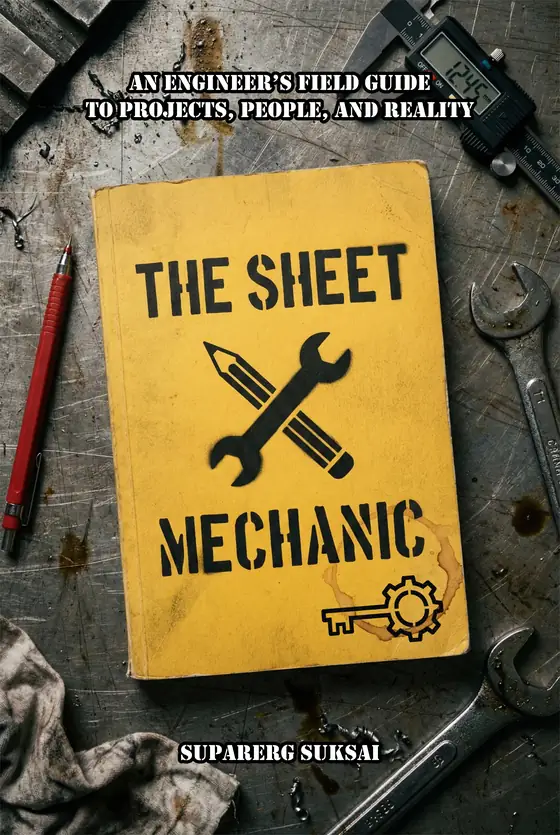
The Sheet Mechanic
The field manual behind these tools. Scope creep, vendor management, design reviews and the gap between the perfect design and the real world.
Get the bookAs an Amazon Associate I earn from qualifying purchases. Full disclosure.